Your holes, drawn once
We model the course with you: a boundary per hole, and separate tee, fairway and green units where you want them. It is done once and it stands for every event after.
Organizers and general managers
Three things are on you before the day: the holes, the roster and a sponsor per hole. Everything after that is the app and the console. You are not being handed a system to run during the shotgun.
Before the day
We model the course with you: a boundary per hole, and separate tee, fairway and green units where you want them. It is done once and it stands for every event after.
Name, email, an external id and a ZIP. The header row and the ZIP are optional. Anyone who does not appear can be added at the desk during check-in.
The business name and street address, then the offer that becomes the card: a headline, a short message, and one button. The address is what makes the visit column possible.
On the day
A golfer inside the course boundary finds their own name and checks in. The desk can add a walk-up by hand. Both land in the same list, so the roster and the check-in list are never two numbers to reconcile.
Set a hole to closed, cart path only or aerating and add a line of your own. The phones on the property have it within a minute, and the golfer's hole card shows it.
Give a phone the refreshment-cart tag and it starts receiving requests, each with the hole attached. The request follows the golfer if they move on, and closes when the cart's phone is seen at their hole.
Send to everyone, to everyone whose phone has been seen on the course recently, or to everyone who has gone quiet. The console shows the count each audience will reach before you send it.
A course can run as a standing venue with no start and no end date, so the sponsor cards, the cart button and the assistance button work on an ordinary Tuesday.
What the console shows you
The tile says how many phones reported a fix inside the venue recently, and says separately how many were last seen longer ago than that. Those two numbers used to be one number and it lied, so now they are two. Durations that rest on very few location fixes are shown with a tilde and the fix count, and never rounded into something that looks certain.
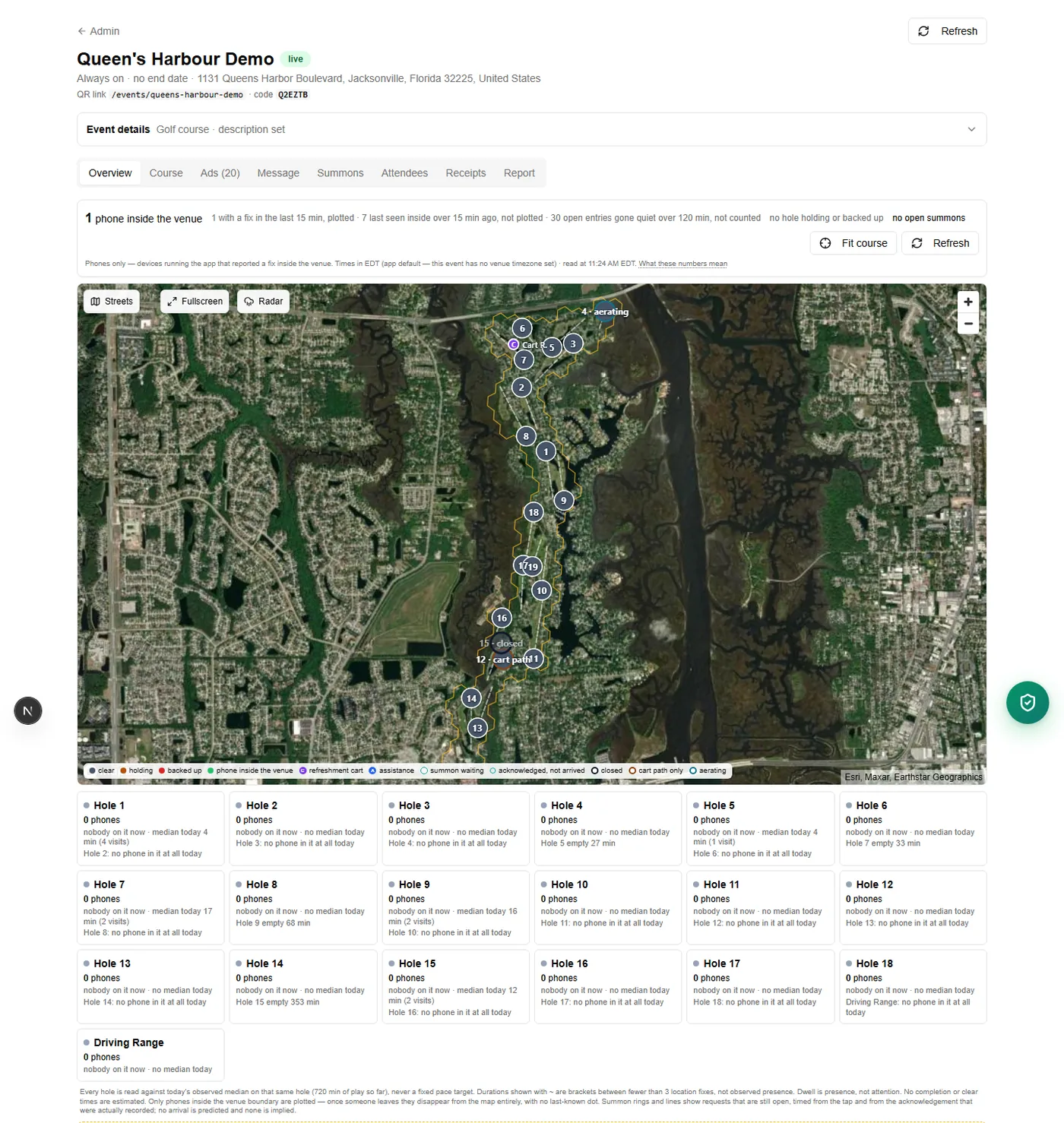
A failed load shows an error and a retry. It never renders as an empty course, because an empty course is a thing a marshal would act on.
The report
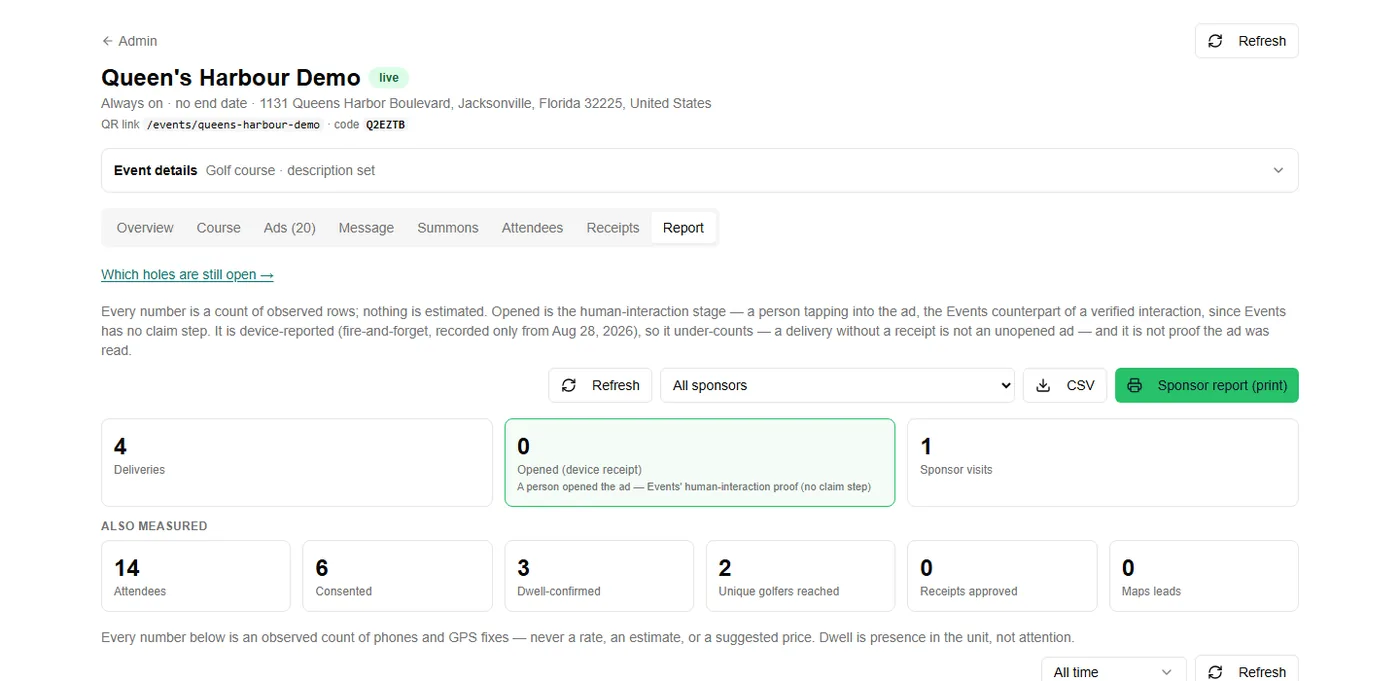
Filter the report to one sponsor, print it, or download the CSV. There is a delivery log behind the totals listing every card, when it went out and to which hole, so a sponsor who asks “how do you know” can be shown rather than reassured.
We will look at your course, your packet and your date, and tell you plainly whether this is worth doing this season.